We've moved! Visit
The Keyword
for small business news, stories and resources.
Small Business
Tips and tricks for managing your business with Google’s solutions
Better control in Google Sites with page-level permissions
Thursday, August 18, 2011
(Cross-posted from the
Google Docs Blog
.)
Today we’re introducing page-level permissions, a new feature that will allow you to control who can view and edit your Google Site on a page by page basis.
Using page-level permissions, you can make some pages private for certain users while keeping other pages public for everyone to see. For instance, let’s say you have a Google Site that you’ve shared with your team and your manager. You can allow your team to see one set of pages, let your manager edit another set of pages, and keep yet another set of pages private for only you.
Only site owners have the ability to enable this feature, which is turned off by default for new and existing sites. To turn on page-level permissions, go to
More Actions > Sharing and Permissions
.
From there, click
Enable page-level permissions
. Then, in the dialog box, click
Turn on page-level permissions
.
Once page-level permissions is enabled, you’ll have
three options to choose from
:
allow a page to inherit all of your site-level permissions
elect to include future site-level changes to a page
prevent a page from inheriting any future changes made at the site-level
Using page-level permissions should give you greater control over who can edit and access your Google site. To learn more about setting page-level permissions, take a look at our
getting started guide
. Let us know what you think in our
support forums
.
Introducing Learn with Google
Thursday, August 18, 2011
(Cross-posted on the
Inside AdWords Blog
)
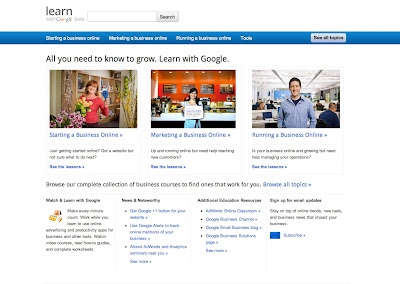
School is back in session and here at Google, we’ve been looking for ways to help you learn how to grow your business online. Many of you have been looking for one central place to go in order to get smart about online tools and strategies, and we hear you. That’s why we’re pleased to introduce
Learn with Google
, a new educational site designed to be a one-stop shop for businesses to learn about Google products and services like AdWords, Google Apps, Places, Analytics, and more. Whether you’re looking to grow your business or just be more productive, we hope that this collection of short videos, handouts, and resources will arm you with best practices and tips that you can use right away.
On the site, you’ll learn about:
Starting Your Business Online:
Learn why having an online presence is critical for growing your business and how to create an online marketing plan. Discover how local marketing tactics can help you reach and attract customers near you.
Marketing Your Business Online:
Master the basics of online marketing and AdWords to get more for your money. Learn how to choose the right keywords and write compelling ads, as well as how to optimize your advertising spend.
Running Your Business Online:
Learn how the Google Apps suite of online communications and productivity tools, like Gmail and Google Docs, can make your team more collaborative and your business more efficient.
To get started, check out the videos, worksheets, and checklists at
Learn with Google
. From there, we’ll recommend other tips and how-to’s that will help you grow your business online. We’ll be adding more content and improving the site over time, so be sure to check back often.
Posted by Barbara Yang, Product Marketing Manager, Small Business Team
Making local online advertising easy with Google AdWords Express
Monday, July 25, 2011
(Cross-posted on the
Official Google Blog
,
Inside AdWords
, and
Lat Long
blogs.)
Today, we're officially introducing
AdWords Express
, a faster and simpler way to start advertising online in under five minutes. We first launched this product as Google Boost
last October
for a small number of local businesses. Since then, we’ve continued to improve the product and enabled all U.S. businesses new to online advertising to reach customers with ease. AdWords Express is designed to help local businesses that aren't already AdWords advertisers create effective campaigns—watch
the video
below to see how you can create and run an online campaign from start to finish in just a few clicks:
AdWords Express helps potential customers find your website or
Place page
, and gives you a quick and straightforward way to connect with them and grow your business. You simply provide some basic business information, create your ad, and your campaign is ready to go.
After you sign up, the campaign will be automatically managed for you. AdWords Express will figure out which searches should trigger your ad to appear and displays it when these searches happen. Your ad will be shown in the Ads section of search results pages—on the top or right hand side—and in Google Maps with a distinctive blue pin. Customers can see your ad whether they’re searching on laptops or mobile phones.
As with all our ad products, you pay only when a customer clicks on your ad. To make things even easier, AdWords Express optimizes your ads to get the most out of your advertising campaign and budget.
Many businesses are already finding success through AdWords, but we know many of you are looking for an easier way to begin advertising online. Visit
www.google.com/awexpress
to sign up or
learn more
about how it works.
Posted by Kiley McEvoy, Product Manager, AdWords Express
“Mobile”-ize your business with Google Sites
Wednesday, June 29, 2011
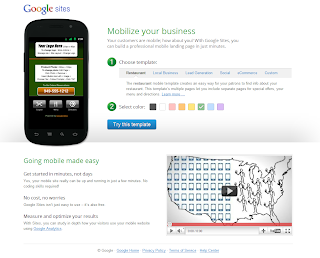
By the end of this year, it is predicted that over half of all Americans will own a smartphone. With 51% of consumers more likely to purchase from retailers that have mobile-optimized sites, is your website ready to take on this growing mobile trend? We understand that time is the most valuable resource for a small business owner, so to help you save time, we’re launching a new tool:
Google Sites mobile landing pages
. With Google Sites mobile landing pages, you can build a professional mobile landing page for your business in minutes, for free -- and without any coding experience.
You can set up your mobile site in just a few steps:
Visit
sites.google.com/mobilize
.
Choose from one of five templates for your site or start with a blank template.
Choose a site name and URL.
Give your site a description to make it easier for people to find.
Choose whether you want your site to be visible
to everyone or only certain people.
Add text, images,
buttons and gadgets
to your site to help personalize it and deliver your message.
Watch the video below to see how easy it was for small business owner, Bob, to mobilize his business with Google Sites:
To get started, visit
sites.google.com/mobilize
, and see how going mobile can boost your business!
Posted by Shiv Kumar, Google Mobile Specialist
Discover new local gems with our new city pages
Wednesday, June 15, 2011
(Cross-posted on the
Google Places Blog
.)
Over the past six months,
Google Places
has ventured into
Portland, Oregon
;
Austin, Texas
;
San Diego, California
; and
Madison, Wisconsin
. Our goal for each of these campaigns was to celebrate the strong local business communities thriving in each of these cities. To do that, we’ve carried out a range of activities:
hosted a bus tour
to find the best barbecue in Austin,
held a concert series
showcasing some of Portland's favorite music venues, and
met with thousands of small business owners
to show them how Places can help them connect with customers.
Our team has loved becoming a part of your local communities, connecting with small businesses and bringing Places users together. In the spirit of continuing that mission, we’re excited to introduce our new community city pages. Now you can get up to date info about all things Google happening in
Portland
,
Austin
,
San Diego
and
Madison
.
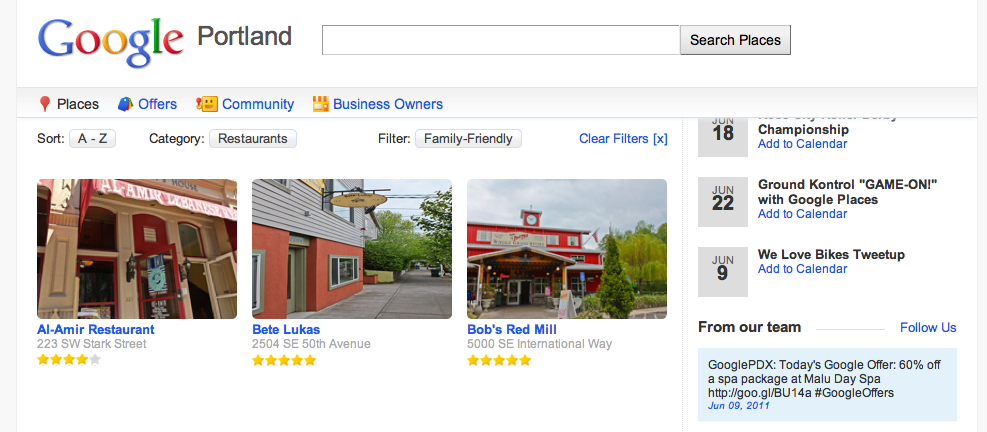
On these sites, you'll be able to browse a list of some of the top businesses recommended by Portland locals by rating, by category ("Restaurant"), and by filter ("Family-Friendly"). Check back often as we'll be continuing to build out this list of places.
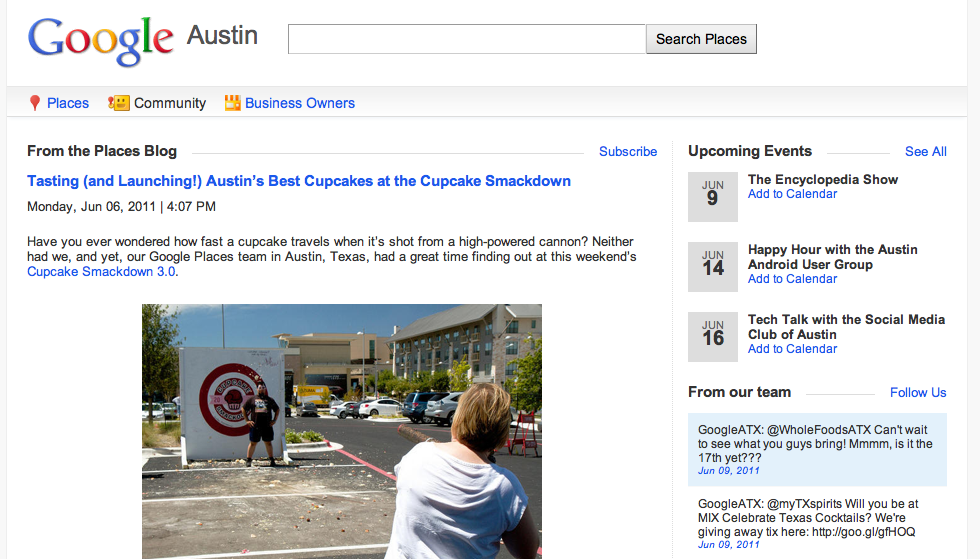
You'll find a page featuring the latest news about the Google Places community, as well as a list of upcoming Google events in that city:
And if you’re a business owner, we've got a special page just for you. Use it as your one-stop-shop to find out how to manage your presence on Google. Bonus: These pages have a fun set of video testimonials from small business owners using Places.
We’ve got big plans for these pages, so stay tuned in the coming months to see what’s new.
Posted by Cecelia Stewart, Local Marketing Team
Google Offers beta launches in Portland, Oregon
Wednesday, June 15, 2011
(Cross-posted on the
Google Places
and
Google Commerce
blogs.)
Nothing beats a good deal, and during these couple weeks we saw that first hand. We teamed up with
Floyd’s Coffee Shop
in Portland to launch the
Google Offers
beta, a new product that brings Portlanders daily deals from local businesses.
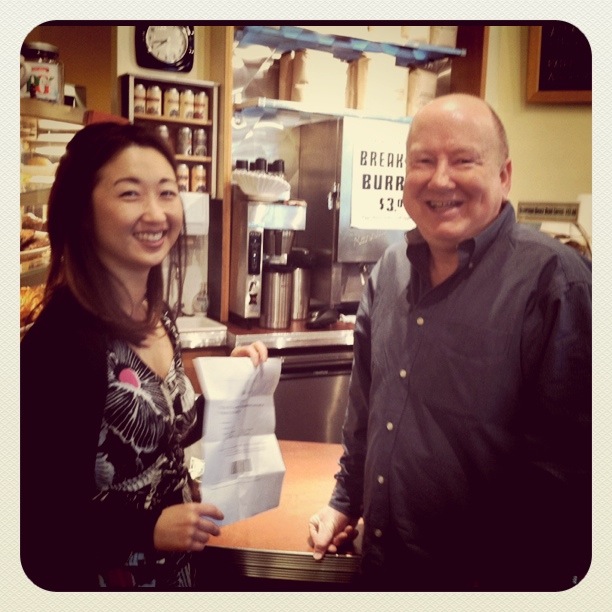
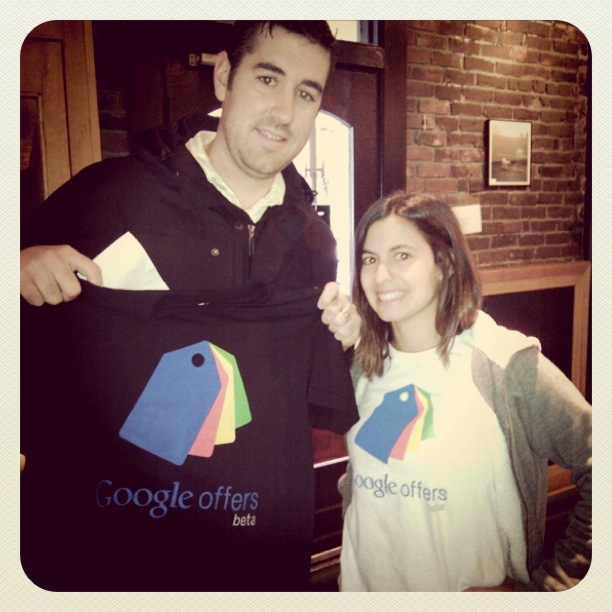
On launch day, we asked Portlanders to sign up for our first deal: $3 for $10 worth of drinks and treats at Floyd’s, a local favorite. And you guys wasted no time! Starting at 7:30 a.m. the following morning, customers rolled in to Floyd’s to redeem and even scored Google Offers t-shirts.
Since Floyd's, we've also had Offers at the
Uptown Billiards Club
,
Karam Lebanese Cuisine
and with
Le Bistro Montage
,
Ground Kontrol
and
Mississippi Studios and Bar Bar
. And there are plenty more awesome deals on the way — in Portland and soon in other cities. Subscribe to our e-mails at
google.com/offers
to learn more about new Portland deals, and to find out when we’re coming to your city. If you’re a business owner who wants to set up an offer, just
send us a note
.
We’ve had an exciting first couple weeks, and we look forward to many more! Stay tuned to us on
Twitter
for more news and deals.
Posted by Kim Cianci, Account Manager
Introducing Descriptive Terms in Local Search Results
Monday, June 13, 2011
(Cross-posted on the
Lat Long
and
Google Places
blogs.)
Whether it’s to find a great place for dinner or to grab a cup of coffee, I often look up places directly on
Google Maps
. Evaluating my options and making a choice just got even easier thanks to the list of associated terms that now appears directly in the local search results.
Starting today, Google Maps search results in the U.S. and Great Britain will include some of the phrases which are most frequently used to describe those places. These phrases come from sources all across the web, such as reviews, web pages and other online references, and they can help people quickly identify the characteristics that make a particular place unique. It’s like an opportunity to ask the business owner or its patrons “What’s good here?” or “What do most people get here?”
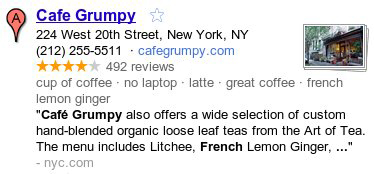
For example, if I’m looking for a place to relax and enjoy a great cup of coffee this weekend, I can see at a quick glance that
Cafe Grumpy
could be the perfect spot. Besides being known for their “latte” and “great coffee,” they have a “no laptop” policy — exactly what I was hoping for since I’d like to unplug and take a break from work this weekend.
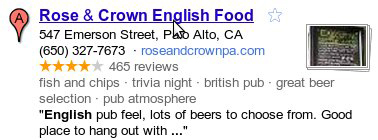
Or if I’m planning to visit friends on the west coast and need to organize a night out,
Rose & Crown
could be an excellent choice given their “great beer selection” and “trivia night” games on site!
Whether you’re looking for local businesses in your neighborhood or in another city, these descriptive terms can help you find the places right for you. We hope you use these terms to discover new and interesting places on Google Maps, and watch for this feature to appear in
Place search
on
Google.com
and
Google Maps for mobile
soon!
Posted by Manjunath Srinivasaiah, Software Engineer
Labels
Brazil
1
Business Photos
2
Chromebooks
1
consumer surveys
1
Economic Impact Report
3
Education
1
English
419
Events
3
Get Your Business Online
7
Gmail
8
GoMo
1
Google Ads
61
Google AdSense
4
Google Analytics
7
Google App Engine
1
Google Apps
60
Google Apps for Work
2
Google Calendar
6
Google Docs
18
Google Domains
3
Google Forms
1
Google Maps
15
google my business
16
Google Offers
1
Google Partners
2
Google Places
45
Google ReWork
1
Google Search
6
Google Shopping
2
Google Sites
7
Google Small Business
20
Google Small Business Blog
419
Google Small Business Community
9
Google Tags
4
Google+
9
Google+ stories
8
Help Desk Hangouts On Air
20
Holiday
3
Learn with Google
4
Livestream
1
Local Services
3
marketing
1
mobile
13
mobile optimization
4
mobile sites
4
Mobile Speed
1
National Small Business Week
3
Newsletter
3
Online security
3
Primer
2
Research
1
reviews
1
Rio de Janeiro
1
Road Trip
1
site design
1
Small Business Saturday
1
Small Business Week
4
Street View
1
TalkBin
2
Test My Site
1
Training
2
Webmaster Academy
2
YouTube
7
Archive
2018
Dec
Oct
Jul
Apr
Feb
Jan
2017
Oct
Aug
Jul
Jun
May
Apr
Mar
2016
Nov
Oct
Aug
Jul
Jun
May
Apr
2015
Dec
Nov
Oct
Sep
Aug
Jun
May
Apr
Mar
Feb
Jan
2014
Dec
Nov
Oct
Sep
Aug
Jul
Jun
May
2013
Nov
Oct
Sep
Aug
Jul
Jun
May
Apr
Mar
Feb
Jan
2012
Dec
Nov
Oct
Sep
Aug
Jul
Jun
May
Apr
Mar
Feb
Jan
2011
Dec
Nov
Oct
Sep
Aug
Jul
Jun
May
Apr
Mar
Feb
Jan
2010
Dec
Nov
Oct
Sep
Aug
Feed
Follow @googlesmallbiz
Follow
Site Feed







 Follow


